The Sims Medieval - Pirates and Nobles DLC EA App CD Key
DLC
在您所在地区可用
中国
即时发货 · 密钥更换
已验证适用于 China · 人工客服
描述
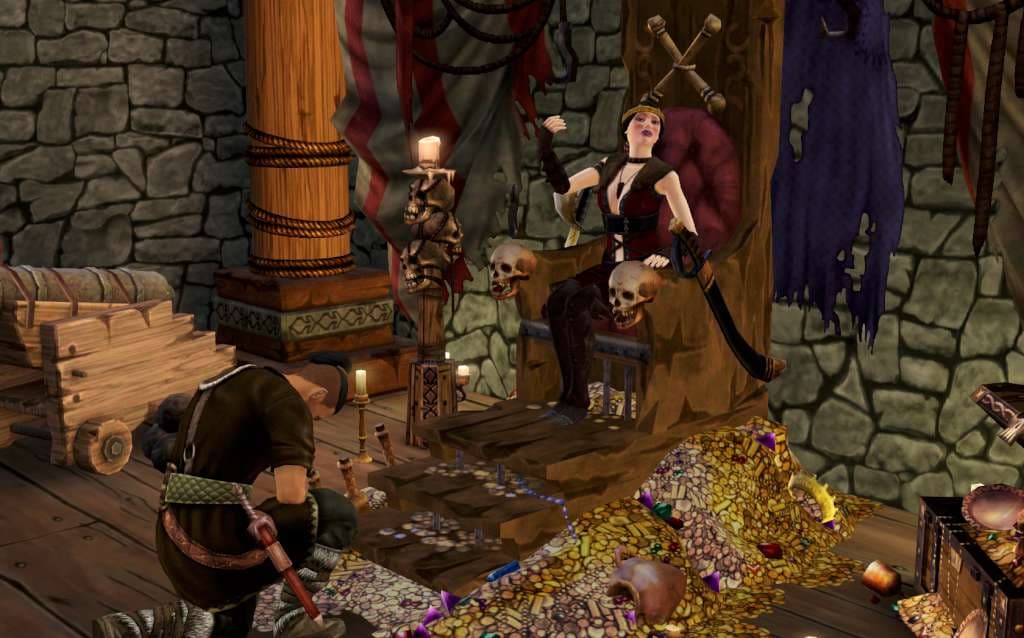
Sims Medieval TM Pirates & Nobles Expansion Pack 介绍新探险,淘宝,以及你中世纪王国的新物品! 你的史诗故事从奥比维尔海盗和特雷多尼贵族 来到你的王国开始 紧随其后的是剑战 爱情事务 伟大的冒险和神秘 去寻宝 发现隐藏的物体。 踏上新的征程 帮助你的王国实现新的野心 把你的王国和辛姆斯 与新的海盗和贵族 以对象和衣橱。 冒险从未结束于这个新的扩展包! 一个新王国的地貌 – 你能结束特雷多尼和奥比维尔之间的战争吗? 追随史诗故事"弧" 新签名对象 – 审讯会长和宠物猎鹰和鹦鹉 New Trits a new Legendary Trait 140多件海盗和贵族取材物 新海盗和高贵的服装和帽子 猎取宝藏 配有地图、铲子、珍稀珍宝和出人意料的危险
详情
- 平台
EA App · PC
- 产品类型
- DLC
- 地区
- GLOBAL
- 类型
- Life Simulation
- 开发商
- Magic Pockets
- 发行商
- Electronic Arts, Inc.
- 发行日期
- 2011/9/2
- Metacritic评分
- 77/100
- 语言
- 8


系统要求
Windows
- OSWindows XP (SP3), Windows Vista (SP1), or Windows 7 Processor: 2.0 GHz for XP P4 processor or equivalent / 2.4 GHz for Windows Vista and Windows 7 processor or equivalent Memory: 1 GB for XP / 1.5 GB for Vista and Windows 7 Hard Disk Space: 1.5 GB of free space with at least 1 GB additional space for custom content and saved games Video Card: 64 Mb @ nVidia GeForce FX 5900 / ATI Radeon 9500 Sound: DirectX Compatible DirectX®: 9
如何在以下平台激活您的密钥 EA App
In order to redeem the code follow the instruction below: Go to www.thesims3.com and make an account if you do not already have one.
If you already have an account, skip to step 2.
If you already have an Origin account, please use the same email and password to register on www.thesims3.com.
Once you are a registered member of www.thesims3.com, login to your account so that you can then register your game codes.
Click on the My Page tab.
Then click the My Account tab.
Click on Register a Game.
Enter the product code for the expansion pack or stuff pack.
Click the green Register button.
If the method above won't work, please follow the instruction below: If you have not done so already, create your free Origin/EA account on www.origin.com/.
Log in to the www.thesims3.com/ using your Origin email and password.
If you are logging in for the first time, use your provided key for the Sims 3 base game during the registration process.
To redeem the games on your Sims 3 account select "My Page" -> "My Account" -> "Register a Game" Enter your 20-character key for The Sims 3, Late Night Expansion, or High End Loft Stuff.
(note, if you entered the The Sims 3 base game code in step 2, you don’t need to re-enter it here) That's it!
The Games will automatically be added to your Origin account, and can be accessed and downloaded through the Origin client.