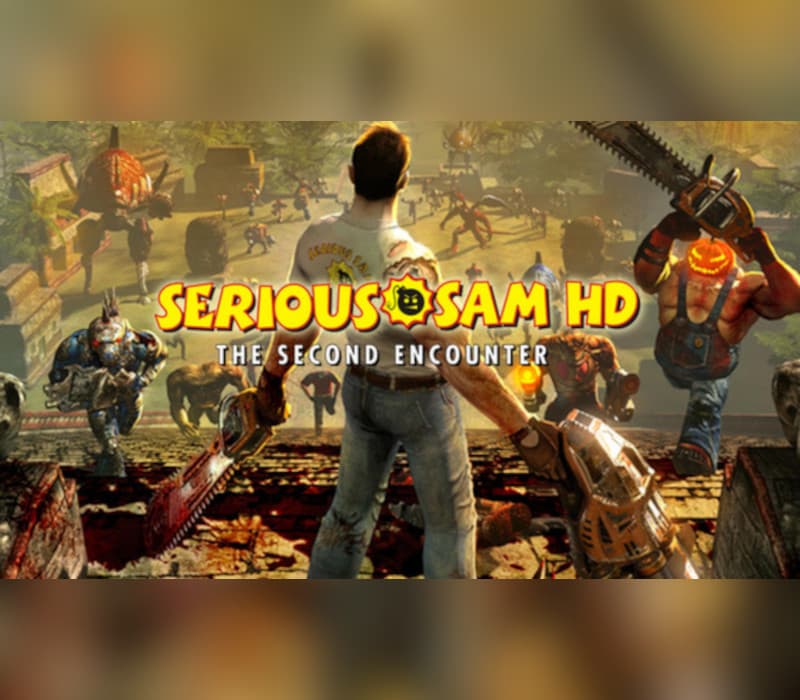
Serious Sam HD: The Second Encounter Steam Gift
无法在中国激活
在 南美洲 激活
即时发货 · 密钥更换
已验证适用于 China · 人工客服
描述
英文说明
来自"第一局"(The First Encounts):"第二局"(The Second Encounts: The Second Encounts)的光荣高清晰度(HD)混沌现在在"严肃的山姆"(Serious Sam HD: The Second Encounts: The Second Encounts: The Secretary Sam: The Secondion: The Second Encncounts)中继续,这是经典的街机FPS Serious Sam: The Second Encncounts的重制,最初在Metacritic上打出85%的总分并被授予了"Gamespot"(The Mon)"游戏"(The Mon)".
Serious Sam HD: The Second Encounts包括壮观增强的视觉和更多的特效,如Hipy和Kid的游戏模式,配有商标Fraritic Single-play,新开发的Survival和Beast Hunt等模式,以及所有时代最喜爱的合作游戏. 将那些具有激烈的Versus和Team模式的玩家最多16个以及超过18个多人地图,Demo Recording选项,Spectators和专用服务器支持,Serious Sam HD: The Second Encounts是原作的可贵接班人. 关键地物 SINGLE PLAYER 各种环境与秘诀——在三个不同壮观的世界上被放出"混乱":南美,古代美索不达米亚和中世纪欧洲. 发现130多条秘密 包括15多条新的秘密 独一的敌人和老板——与27名夜梦战士在"精神"的军队中出战,包括来自"被斩首"(Beahead Kamikaze),"叙利亚的韦尔布尔"(Syrian Werebul)和"克勒斯克勒通"(Kleer Skeleton)等"第一次相会"(The First Encounts)中最喜爱的旧作. 去对付5个新敌人和3个新老板 特种武器和动力 -- -- 用一大批武器,包括3个新的玩具 -- -- 狙击步枪、火焰枪和链锯 -- -- 破坏。 使用Power-Up来增加你的战斗和敏捷技能. 严肃编辑 3 - 创建您的关卡并在Steam Works上分享! 闪电侠新! (经典游戏中未见) 生存模式 - 尽量活下来, 经典共同操作模式 - 陷入混乱 给16名选手的竞选合作模式! 新来的! (经典游戏中未见出) 更多"合作Op Modes" - 在新开发的"Coin-Op"和"Survival"合作模式中与最多16名玩家在竞选游戏中更相伴奏! 新来的! (经典游戏中未见出场) Beast Hunt Modes - 与其它球员或球队出战,同时在Beast Hunt和Team Beast Hunt中也打出战平分!
Versus Mode - 看着所有地狱都松开 在8个经典和品牌NEW! 最多16个玩家的死亡相配地图! 新来的! (经典游戏中未见出) More Versus Modes - 以更多模式对抗你的朋友,包括My Burden, Last Man Standing和即时杀! 新来的! (经典游戏中未见出场) Team Modes - 在包括Team Deathmatch,Caption the Flag and Last Team Standing在内的团队比赛中与其他团队相对抗! 斯蒂姆风味 新来的! (经典游戏中未见) Steam Conferences - Ein 50 惊人有吸引力的成就来提升你的社会地位.
Steam Leaderboards - 看到你的分数记录在单玩家和合作领跑板上.
Steam Cloud - 在 Steam Cloud服务器上在线存储您的简介, 包括您的绑定, 最后播放关卡和竞选进展 。
详情
- 平台
Steam · PC
- 产品类型
- CD_KEY
- 地区
- SAM
- 类型
- Action, Indie
- 开发商
- Croteam
- 发行商
- Devolver Digital
- 发行日期
- 2010/4/28
- Metacritic评分
- 76/100
- 语言
- 6


系统要求
Windows
- OSWindows XP w/SP1 or newer Processor: Intel Pentium 4 3+ Ghz or AMD Athlon64 3500+ Memory: 1 GB for Windows XP or 2 GB for Windows Vista Hard Drive: 2.2 GB free space Graphics: nVidia GeForce 7600, ATI Radeon X1600 (Shader Model 3.0 Required) Sound: Direct X 9.0c compatible sound card DirectX®: DirectX 9.0c August 2009 Edition or newer
如何在以下平台激活您的密钥 Steam
"Please remember that we are NOT responsible for any problems that may arise from purchasing and using Steam Gifts.
You are doing it at your own risk.
"Please note, that due to recent Valve Steam Gift policy update Steam Gifts for games that are covered by VAC ban program can no longer be added to Inventory.
Make sure that you are logged in to the proper account before entering the link as Steam Gifts can be only added to your library or rejected.
How do I use a Steam gift given to me?
If you do not already have Steam, download and install Steam here.
Once you have Steam installed, you will be prompted to create an account or login to an existing Steam account.
If you do not have an account, please create one.
You will receive an e-mail containing a link that will open Steam allowing you to redeem your gift.
After clicking the link, you will receive a notification at the top right corner in the Steam client informing that you have a new gift.