Cubase LE 12 PC/MAC CD Key
Software
Works in your region
United States
Instant delivery · key replacement
Verified for United States · human support
Description
CUBASE GUIDES YOU ON YOUR MUSIC PRODUCTION JOURNEY Do you want to start creating your own music, bring your production up to a professional level, or streamline your workflow for short deadlines?
Whatever you need, Cubase helps you to reach your full creative potential.
From Hollywood blockbuster composers and Billboard Hot 100 producers right through to keen beginners, the world of music production trusts the comprehensive feature set, straightforward tools and unrivaled sound of our acclaimed music production software.
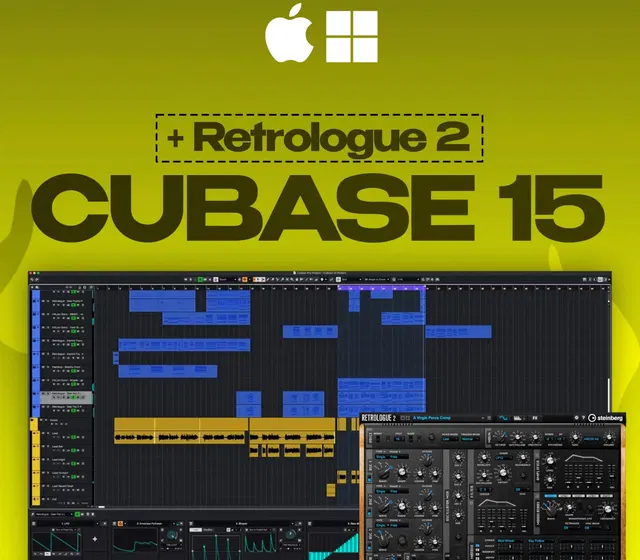
Features 24 midi channels 16 audio channels 8 instrument channels Comes with halion and groove agent 23 major audio effects
Details
- Platform
Other · PC
- Product type
- Software
- Region
- GLOBAL
- Genre
- Software, Music / Soundtrack
- Languages
- 1

System Requirements
Windows
- OS64-bit Windows 10 Version 1909, 64-bit Windows 10 Version 2004, 64-bit Windows 10 Version 20H2, 64-bit Windows 11 Version 21H2 Processor: Intel Core i series or AMD Ryzen multi-core Memory: 4 GB RAM HDD Space: 25 GB Graphics: Graphics card with DirectX 10 and WDDM 2.0 support (Windows only)
Mac
- OSmacOS Mojave, macOS Catalina, macOS Big Sur, macOS Monterey Processor: Intel Core i series or AMD Ryzen multi-core Memory: 4 GB RAM HDD Space: 25 GB
Activation Instructions
Visit the www.steinberg.net/en/company/technologies/elicenser.html, click Current Downloads, and select the installer for your operating system.
Navigate to your Downloads folder and launch the installer.
PC: Double-click the .exe file and follow the on-screen instructions.
Mac: Double click the .dmg file, double click the .pkg file, and follow the on-screen instructions Launch the Steinberg eLicenser Control Center app.
Click Registration, select your soft or USB eLicenser, and then select Register at My Steinberg.
Follow the instructions in the web browser that appears to log in and register the eLicenser to your account.
Launch eLicenser Control Center.
Click Enter Activation Code, enter your Cubase Activation Code and then click Continue.
Navigate to the www.steinberg.net/en/support/content_and_accessories/steinberg_download_assistant.html, and select the installer for your OS.
Steinberg Download Assistant shows all Steinberg products; not just the product you purchased so make sure to download the correct software!
Go to your Downloads folder, launch the installer, and then follow the on-screen instructions.
Launch the Steinberg Download Assistant app.
Use the dropdown boxes and locate the version of the Steinberg product you purchased, and then click Download.
Download times will vary depending on your internet connection.
Keep the app opened at all times when downloading a product or an update!
Once the download is complete, go to your Downloads folder once more, and launch the product installer file.