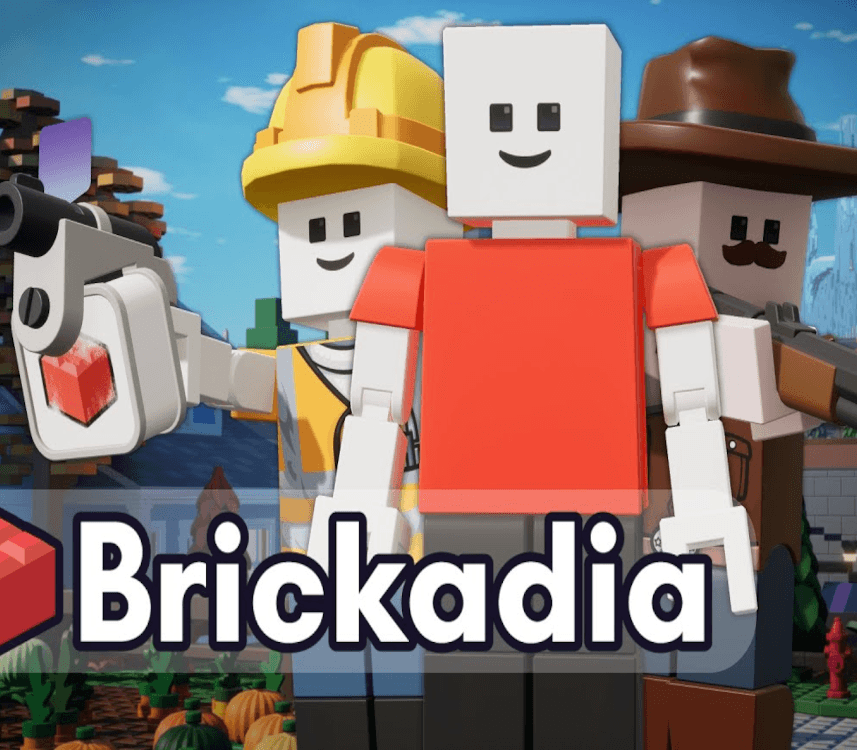
Brickadia PC Steam CD Key
Works in your region
United States
Instant delivery · key replacement
Verified for United States · human support
Description
Brickadia is a next-generation sandbox game with immense flexibility.
Every creative tool - building, scripting, and more - is used right in the game, in real-time multiplayer.
Build massive worlds, intricate physics contraptions, and entirely new game modes together with your friends without ever leaving the action.
Build anything you can imagine.
It's super easy to get started placing bricks to build stuff - and with our intuitive powerful tools you can build towering skyscrapers, fun vehicles, interesting mechanics, detailed islands, spaceships, cityscapes, anything you can dream of!
Make your creations dynamic.
Brickadia features an incredible dynamic physics system that brings your creations to life!
Create interactive builds with buttons, switches, doors, motors, servos, seats, lights and so much more with wire logic.
Set up simple circuits with logic gates to create complex puzzles and terrifying traps - all without writing code.
Be anyone or anything.
Our avatar customisation has been highly praised for its flexibility - Assemble your own entirely unique avatar with hundreds of varied pieces!
Replace any body part, attach accessories all over, put on hats, new hairstyles, fancy clothing, or even a tail?
Create an unlimited number of avatars to use in the game however you like!
Battle other players.
With our flexible game rules system and wide range of weaponry, any build can instantly become a fierce battle arena!
Place item spawns and ammo pickups around your builds, and host servers with custom game modes for anyone to join.
Explore endless creations.
Just want to sit back and play?
No problem - Brickadia makes it easier than ever to jump into experiences created by other players.
Explore our vast in-game Gallery, solo or with friends.
Maybe remix them to give them your own personal twist!
The possibilities really are endless!
Details
- Platform
Steam · PC
- Product type
- CD_KEY
- Region
- GLOBAL
- Genre
- Action, Casual, Indie, Simulation
- Release Date
- 7/11/2025
- Languages
- 8


System Requirements
Windows
- MinimumRequires a 64-bit processor and operating system OS: Windows 10+ Processor: 3 GHz Dual-Core or better with AVX Memory: 4 GB RAM Graphics: Recent integrated graphics or dedicated GPU, at least 1GB VRAM and support for SM5 DirectX: Version 11 Network: Broadband Internet connection Storage: 2 GB available space Additional Notes: Game performance requirements and memory usage increase with the amount of bricks placed and complexity of your world.
Linux
- MinimumOS: Debian distribution (11+), such as Ubuntu Processor: 3 GHz Dual-Core or better with AVX2 Memory: 4 GB RAM Graphics: Recent integrated graphics or dedicated GPU, >= 1GB VRAM and support for SM5 Storage: 2 GB available space Additional Notes: Game performance requirements and memory usage increase with the amount of bricks placed and complexity of your world. Recommended: OS: Debian distribution (11+), such as Ubuntu Processor: AMD Ryzen 5000 Series CPU or better Memory: 8 GB RAM Graphics: Nvidia GTX 1070 or better Storage: 2 GB available space Additional Notes: The game generally does not limit the amount of things you can build, so even top level hardware can be maxed out if you go crazy.
How to activate your key on Steam
Open store.steampowered.com and click Install Steam (top-right). Download and run the installer.
Launch Steam, sign in, or create a free Steam account if you do not have one yet.
From the menu bar choose Games → Activate a Product on Steam….
Follow the prompts and enter your product key when asked.
After the key is verified, open LIBRARY, select your title, and click Install to download.