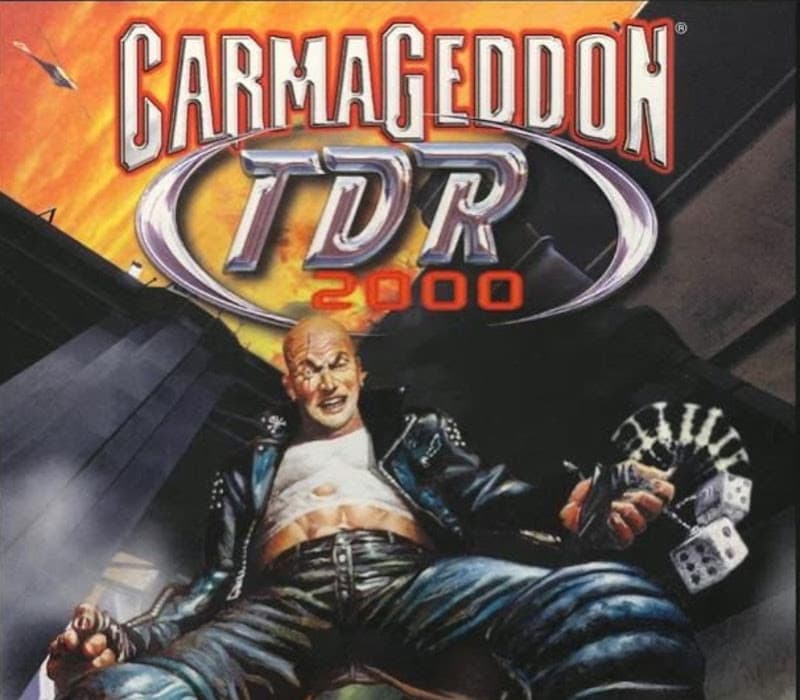
Carmageddon TDR 2000 Steam CD Key
Works in your region
United States
Instant delivery · key replacement
Verified for United States · human support
Description
Yes, it's the game literally...
SOME of you asked for!
And so, in the spirit of "well, alright then, if you insist..." we present the third game in the Carmageddon series, in the knowledge that some of you Carma fans out there would like to have a complete Carmageddon collection in your Steam library.
Nothing wrong with that.Anyway, here's what the blurb on the back of the DVD case had to say about Carmageddon: TDR 2000:The world's most controversial racing game returns with incredible graphics, fantastic game play and even more outrageous fun!Max Damage, imprisoned for life, plots his escape.
However, there's the small matter of an army of police, hordes of gangsters and thousands of enraged inhabitants - all with homicide on their minds.
To succeed, it will take a four wheeling genius with no morals, a killer instinct and a burning passion to escape.
No such person existed... until now!
Features Drive 50 totally destructible vehicles.
Over 48 missions and races to complete. 9 completely 3 D single player environments to explore and destroy. 7 multi-player game types in 9 custom maps.
FAQ Known Issue Symptoms: When you start a mission, the game crashes to the desktop with an error about Directx, address 0 x 80070057.Solutions: There's an easy fix, disable the MIP Filter.
You can do this by running TDR 2000 Setup and opening the "Advanced Settings" dialog, and setting MIP Filter to "none".
Another solution is to disable the Fog.
Command Line Interface Command line options for the game are:-profile(w) Reprofile system-setup(s) Access setup dialog-fulltextures(f) Use fullsize textures-join(j) "IP address" Join TCP/IP game at specified IP address-create(cr) Create a TCP/IP server-clientserver(cs) Specifies client/server mode-dedicated(d) Specifies dedicated server mode-console(co) Specifies console output mode-gamescript(g) "File Name.txt" Specifies gamescript to use-max Data Rate(mdr) [value] Specifies data rate settings-data Rate Falloff(drfp) [value]-debug File(df) "File Name.txt" Specifies alternate name for dbg.txt-options File(of) "File Name.txt" Specifies alternate name for options.txt file-server Name(sn) "Server Name" Specifies server name[/b] Multiplayer How do I set up dedicated server games?To set up a dedicated server, create a shortcut to Carmageddon: TDR 2000, and add -cr -d -co -cs to your command line.
This will use the options you have already in your Multiplayer settings.
Details
- Platform
Steam · PC
- Product type
- CD_KEY
- Region
- GLOBAL
- Genre
- Action, Racing, Indie
- Developer
- Aqua Pacific
- Publisher
- Sales Curve Interactive
- Release Date
- 12/14/2000
- Languages
- 1

System Requirements
Windows
- OSWindows XP/Vista/7/8 Processor: 1.8 GHz Processor Graphics: 3D graphics card compatible with DirectX 7 Storage: 1 GB available space Sound Card: directx compatible
How to activate your key on Steam
Open store.steampowered.com and click Install Steam (top-right). Download and run the installer.
Launch Steam, sign in, or create a free Steam account if you do not have one yet.
From the menu bar choose Games → Activate a Product on Steam….
Follow the prompts and enter your product key when asked.
After the key is verified, open LIBRARY, select your title, and click Install to download.