Deep Space Battle Simulator Steam CD Key
Works in your region
United States
Instant delivery · key replacement
Verified for United States · human support
Description
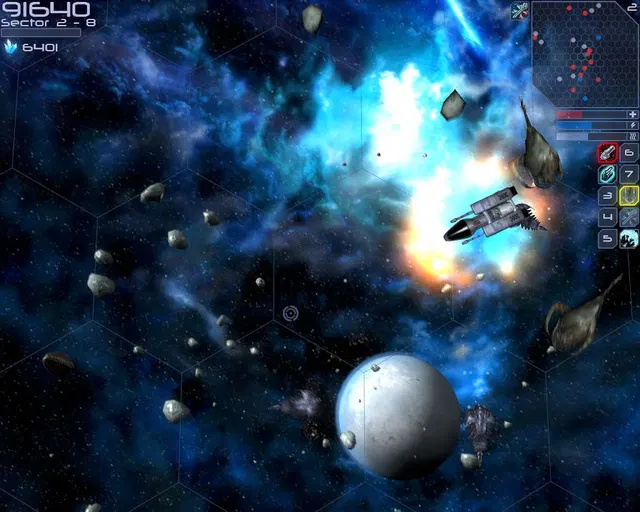
Deep Space Battle Simulator is a round-based multiplayer first-person online game, where you play as a part of a capital ship crew and try to destroy the enemy teams ship.At the start of each round, you can customize your cruisers turrets, fill your hangars with lots of different smaller fighters and choose between numerous upgrades to give you the edge in battle.
Once the round starts, move your capital ship freely in all three dimensions, shoot the turrets manually or use the ships integrated targeting systems to just focus which points of the enemy ship to focus.
Control the energy distribution of your ship, raise the shields of each section of the ship individually, or direct energy to the engines, life support or weapon systems.
You can also explore the giant interior of your capital ship while running to a hangar to join the battle with a smaller fighter and board the enemy ship and sabotage their generators, shields or engine.Current Features: two different teams (red vs blue) each controlling a huge capital ship trying do destroy the opposite team navigate your ship, manage its energy distribution and make use of a variety of different weapons options enter one of the smaller fighters located in your ships hangars and tip the scales in your favor board the enemy ship, sabotage important parts of it and fight its crew lots of different turret and fighter classes to customize your ship a huge amount of selectable upgrades like droids or gun lockers different personal weapons in case you want to board the enemy ship or defend your own ship full options menu with graphics setting and keybinding menus either play on dedicated servers or host your own private sessions ingame
Details
- Platform
Steam · PC
- Product type
- CD_KEY
- Region
- GLOBAL
- Genre
- Action, Indie, Strategy
- Developer
- yeswecamp
- Publisher
- yeswecamp
- Release Date
- 3/6/2020
- Languages
- 1

System Requirements
Windows
- MinimumRequires a 64-bit processor and operating system OS: Windows 7 64-bit Processor: 1.5 GHz Dual-Core Memory: 4 GB RAM Graphics: GeForce 500 Series DirectX: Version 11 Network: Broadband Internet connection Storage: 1 GB available space
Linux
- MinimumRequires a 64-bit processor and operating system OS: Ubuntu (others should work too) Processor: 1.5 GHz Dual-Core Graphics: GeForce 600 Series Network: Broadband Internet connection Storage: 1 GB available space Recommended: Requires a 64-bit processor and operating system OS: Ubuntu Processor: 2 GHz Dual-Core Graphics: GeForce 600 Series Network: Broadband Internet connection Storage: 2 GB available space
Mac
- MinimumRequires a 64-bit processor and operating system Recommended: Requires a 64-bit processor and operating system
How to activate your key on Steam
Go to: store.steampowered.com/ and download STEAM client Click "Install Steam" (from the upper right corner)
Install and start application, login with your Account name and Password (create one if you don't have).
Please follow these instructions to activate a new retail purchase on Steam: Launch Steam and log into your Steam account.
Click the Games Menu.
Choose Activate a Product on Steam...
Follow the onscreen instructions to complete the process.
After successful code verification go to the "LIBRARY" tab and start downloading.