Rabbit and Steel PC Steam CD Key
Works in your region
United States
Instant delivery · key replacement
Verified for United States · human support
Description
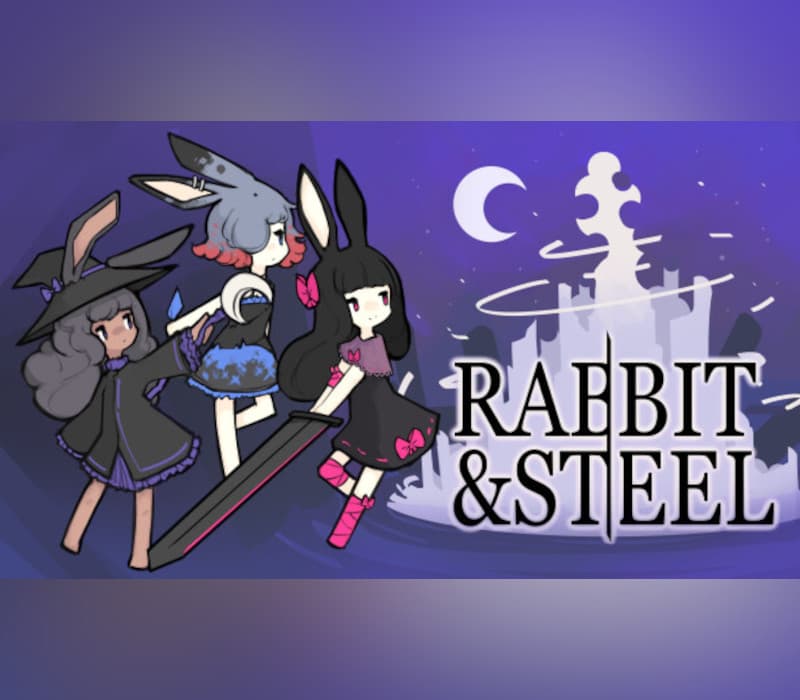
RABBIT & STEEL is a co-op action "raiding" roguelike focused around fighting challenging bosses alongside your rabbit-eared friends.
Fight foes, gather loot, build your character, and work together to overcome obstacles on your way to the Moonlit Pinnacle.Combat is deliberately similar to tab-target MMORPGs, being based around global cooldowns, effective skill usage, gear effects, and resolving boss mechanics through teamwork.This isn't an MMO, though; it's a roguelike!Start a run, pick a class, invite friends to your lobby and you're raiding in seconds.
Anywhere from 1 to 4 rabbits can embark together.
If you venture out alone, mechanics that normally require cooperation will be replaced with intense bullet hell attacks.Of course, it isn't always as simple as slapping down the enemies that stand in your way.
Building your character with loot and upgrades you find along the way is key to success.
Certain sets of items combo very well together... so make sure your allies don't roll on something you really need!
A few months ago, all contact with the Moonlit Kingdom was lost.Reports indicate that the city's denizens attack outsiders on sight.Investigative expeditions are repelled or go missing.
A colossal white tower now manifests in the city's center each night, stretching skyward towards the stars.Something must be done.
The rabbits will take care of this.The night is short.
Move swiftly.
Features: Up to 4 players can play together locally, online, or a mix of the two A plethora of bosses, stages, and challenging bullet-hell patterns to conquer A single player story campaign where you chat up your enemies to uncover the mystery of the Moonlit Kingdom Over 100 random loot items to power up your character You can kill your friend by clipping them with a "spread" marker for laughs Honestly they deserve it for rolling on the Darkstorm Knife even though they don't need it and it's SO good for your class Supports playing with keyboard, mouse+keyboard, or with a controller
Details
- Platform
Steam · PC
- Product type
- CD_KEY
- Region
- GLOBAL
- Genre
- Action, Adventure, Indie, RPG
- Developer
- mino_dev
- Publisher
- mino_dev
- Release Date
- 5/9/2024
- Languages
- 3


System Requirements
Windows
- MinimumOS *: Windows 7+ Memory: 2 GB RAM Graphics: 128 MB DirectX: Version 12 Storage: 300 MB available space
How to activate your key on Steam
Go to: store.steampowered.com/ and download STEAM client Click "Install Steam" (from the upper right corner)
Install and start application, login with your Account name and Password (create one if you don't have).
Please follow these instructions to activate a new retail purchase on Steam: Launch Steam and log into your Steam account.
Click the Games Menu.
Choose Activate a Product on Steam...
Follow the onscreen instructions to complete the process.
After successful code verification go to the "LIBRARY" tab and start downloading.