rFactor 2 Steam CD Key
Works in your region
United States
Instant delivery · key replacement
Verified for United States · human support
Description
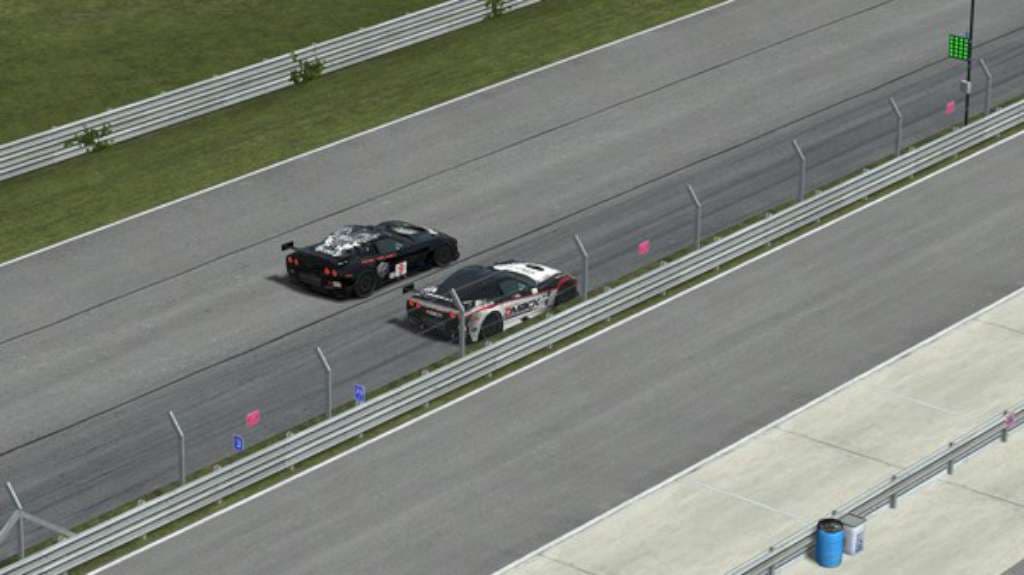
r Factor 2 is a realistic, easily extendable racing simulation from Image Space Incorporated.
It offers the latest in vehicle and race customization, great graphics, outstanding multiplayer and the height of racing realism. r Factor 2 features mixed class road racing with ultra realistic dynamics, an immersive sound environment and stunning graphics.
You can race against a field of AI cars, or in multi-player mode against others.
The simulation supports a full day-night cycle as well as dynamically varying weather conditions such as rain.
Tracks feature "real-road" technology that changes the grip as more cars drive on it.
In multi-player mode, driver swaps are also supported, allowing you to run even full 24 hour endurance events.
Everything can be customized by the community, including adding new tracks and cars, and a wealth of add-ons are available on-line. r Factor 2 is also an evolving product, which will be updated and added to for many years, so the list of features will expand!
Features Physics: Updated to use multi-core CPU technology Advanced physics engine Newly updated tire model Driving surface construction, even painted line thickness, affects grip levels Engine boost and Turbo modeling Dynamic Racing Experience: Real-time day/night lighting transitions Realistic wet/dry weather transitions Dynamically laid rubber increases grip throughout racing session(s) Rubber chunks (“marbles”) roll off tires and can affect grip Tires sustain damage from poor driving or setups, affecting grip immediately and over time Graphics/Sound: Real-time day/night lighting transitions Projected headlights for night time driving Look to apex and head motion tracking support Gameplay: New AI who will race for and defend positions Define AI opponent types, strength and aggression Races can be lap based, time based or both Multiplayer: Opponent car skins automatically transmitted Completely new multiplayer engine Dedicated server Native voting system Add AI to multiplayer games Open Architecture: Support for modder created car and track content Fully adjustable Showroom, UI and HUD layouts More Plugin Interfaces Easy to use customizable multi-language support
Details
- Platform
Steam · PC
- Product type
- CD_KEY
- Region
- GLOBAL
- Genre
- Racing, Sport, Simulation
- Developer
- Image Space Incorporated
- Publisher
- Image Space Incorporated
- Release Date
- 3/28/2013
- Languages
- 1

System Requirements
Windows
- OSWindows 7, 8, 8.1 or 10, with latest Service Packs Processor: 2.8 GHz Intel Core 2 Duo or 3.0 GHz AMD Athlon II x2 Memory: 4 GB RAM Graphics: nVidia GTS 450 or AMD Radeon 5750 DirectX: Version 9.0c Network: Broadband Internet connection Hard Drive: 30 GB available space Sound Card: DirectX Compatible
How to activate your key on Steam
Open store.steampowered.com and click Install Steam (top-right). Download and run the installer.
Launch Steam, sign in, or create a free Steam account if you do not have one yet.
From the menu bar choose Games → Activate a Product on Steam….
Follow the prompts and enter your product key when asked.
After the key is verified, open LIBRARY, select your title, and click Install to download.