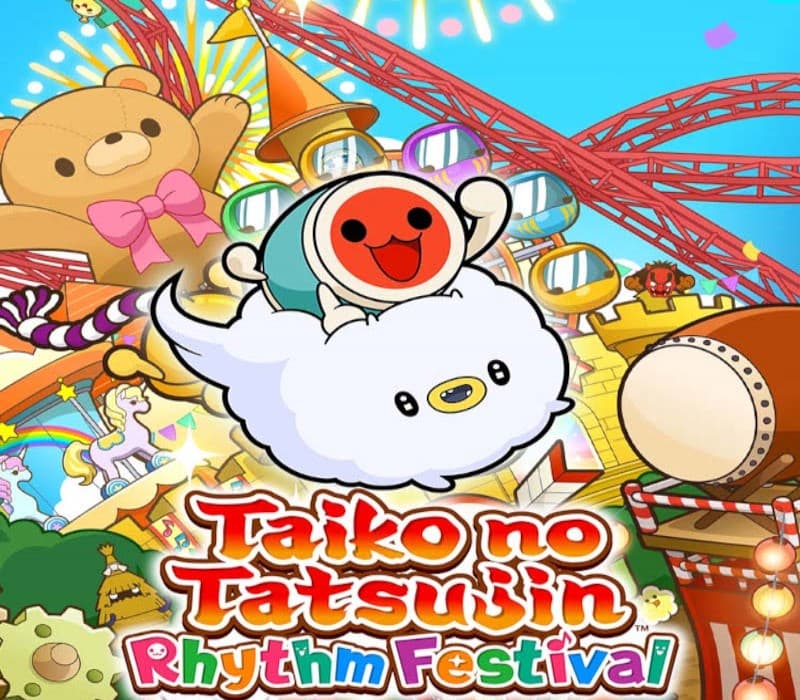
Taiko no Tatsujin Rhythm Festival PC Steam CD Key
Works in your region
United States
Instant delivery · key replacement
Verified for United States · human support
Description
Taiko no Tatsujin: Rhythm Festival is a drum-based rhythm game featuring songs from genres such as Anime and VOCALOID, and also a variety of game modes!
Have fun playing solo or online!
Welcome to Omiko City, where everyone’s favorite Taiko elements come together in one place!
Together with Don-chan, meet your new friend, Kumo-kyun and aim to become a Taiko Master!
Taiko Mode Drum along to the rhythm of your favorite songs and aim to play them from start to finish!
Select from 4 difficulty modes. 76 songs across multiple genres such as Anime, VOCALOID™, Game Music, and Pop are available in the game!
Songs include Gurenge, My Neighbor Totoro - Ending Theme Song, Charles, MEGALOVANIA, Into The Night, Feel Special and many more!
Have fun playing casually with another player or compete for the highest score!
You can also use Improvement Support to help you improve your drumming skills! 3 types of party games for 1-4 players are available.
Great Drum Toy War Play along to songs and deploy toys to push back your opponent's toys and aim for victory!
Don-chan Band Work as a group of 4 to perform successful concerts!
Run!
Ninja Dojo Become a ninja and race with up to 4 other players!
Overcome multiple obstacles as you compete for 1 st place!
Online Matches Online Ranked Match Challenge players from all over the world and aim for the top ranks!
Room Match Play casually with friends and players from around the world in Taiko Mode and Great Drum Toy War!Have fun playing Taiko solo, or together with friends!
Taiko Music Pass Join the Taiko Music Pass to access over 700 additional songs!
New songsare added every month!
Some songs are also sold individually. *Taiko Mode and Great Drum Toy War can be played by up to 2 players.
Don-chan Band and Run!
Ninja Dojo can be played by up to 4 players.
Each player needs 1 controller.*This game is compatible with the Taiko no Tatsujin Drum Controller for Xbox Series X|S, Windows PC.
Details
- Platform
Steam · PC
- Product type
- CD_KEY
- Region
- GLOBAL
- Genre
- Casual, Music / Soundtrack
- Developer
- Bandai Namco Amusement
- Publisher
- Bandai Namco Entertainment
- Release Date
- 11/7/2024
- Languages
- 8


System Requirements
Windows
- MinimumRequires a 64-bit processor and operating system OS: Windows 10 64bit / Windows 11 64bit Processor: Intel Core i5-750, 2.67 GHz / AMD A12-9800, 3.80 GHz Memory: 8 GB RAM Graphics: Nvidia GeForce GTX 750 Ti, 2 GB / AMD Radeon HD 7770, 2 GB / Intel Iris Plus Storage: 6 GB available space Additional Notes: Estimated performance: 1080p/60fps with graphics settings at "Low". Framerate might drop in graphics-intensive scenes. - 64-bit processor and operating system are required.
How to activate your key on Steam
Go to: store.steampowered.com/ and download STEAM client Click "Install Steam" (from the upper right corner)
Install and start application, login with your Account name and Password (create one if you don't have).
Please follow these instructions to activate a new retail purchase on Steam: Launch Steam and log into your Steam account.
Click the Games Menu.
Choose Activate a Product on Steam...
Follow the onscreen instructions to complete the process.
After successful code verification go to the "LIBRARY" tab and start downloading.