This is NOT a product key. We will create a NEW ACCOUNT for you with the content you purchased. Sign in to that account using the details provided in your Inventory. Applying any changes to the purchased account, such as adding a payment method or changing the region — ideally only change the password — may result in the account being banned. In such cases, no refund applies.
This is NOT a product key. You will be sent the credentials of A NEW Xbox ACCOUNT. Sign in to the account using the details provided. You will be able to change the details once you have signed in.
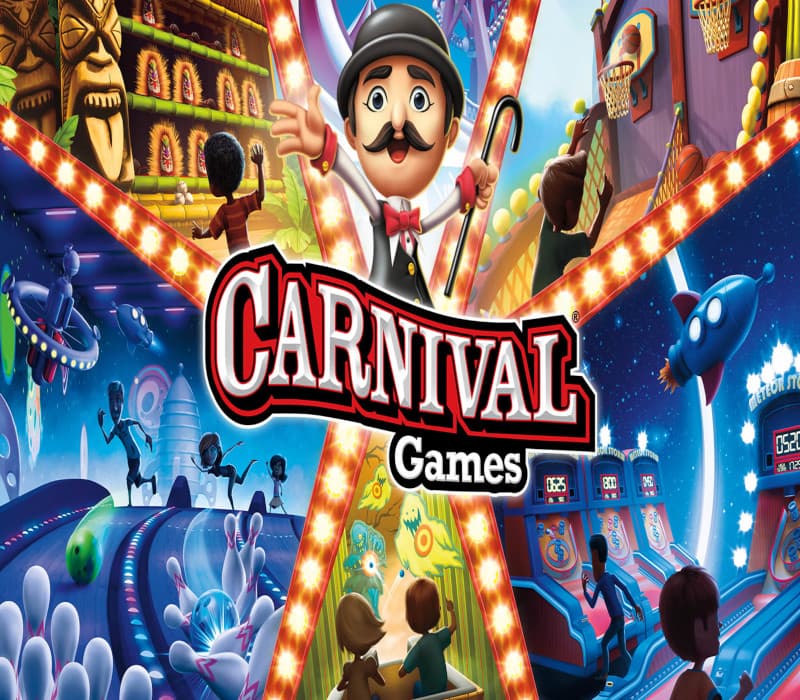
Carnival Games XBOX One / Xbox Series X|S Account
Account
Works in your region
United States
Instant delivery · key replacement
Verified for United States · human support
Description
Carnival Games brings the party back for the entire family!
With both fan-favorite and brand-new mini-games all in one package, Carnival Games offers fun for everyone and can be played alone or with up to three others.
Hit home runs, pile the highest stack of cakes, and take your horse to the finish line. 20 total mini-games will have you and your friends stepping right up to win again and again!
Features A FUN VARIETY OF CARNIVAL GAMES FOR EVERYONE: Like a real-life county fair, Carnival Games bursts with exciting mini-games that you can play over and over.
Classic mini-games such as shooting basketballs (“Swish”) and taking down unfriendly clowns (“Clowning Around”) are joined by brand new attractions like flying drone racing (“Light Speed”) and cosmic bowling (“Cosmic Strike”).
With 20 total games, Carnival Games is a fantastic time for all.
A MULTIPLAYER PARTY: Bring your family and friends in on the fun for a true Carnival Games party.
Up to 4 players can participate simultaneously, bumping up the level of excitement and competition in all 20 carnival mini-games.
PLAY, WIN, GET REWARDS: Play games, win tickets, and trade them in for new outfits for your carnival guest characters.
Dress them up to match your style or be as wild as you can with wacky headgear, shirts, and bottoms.
Details
- Platform
 Xbox
- Product type
- Account
- Region
- GLOBAL
- Genre
- Casual, Puzzle
- Developer
- Cat Daddy Games
- Publisher
- Global Star Software
- Release Date
- 11/6/2018
- Languages
- 1

Activation Instructions
Go to www.xbox.com Login to your account Hover over your account link (the top right of the screen) a menu will appear, click on the "Redeem Code" button.
On the next page, click "Redeem" Enter your code Click "Confirm" Click "Confirm" again to assign the key to your account.